
We may earn money or products from the companies mentioned in this post.
The Bambu Lab A1 is worth comparing when smaller printer beds limit your projects, but you still need to think about the space around the machine. Its moving bed, filament supply, and optional material-switching equipment all affect where it can operate.
This research-based Bambu Lab A1 review examines documented features and practical buying considerations. It does not claim ownership, hands-on tests, measured print quality, or long-term reliability results.
Quick verdict: consider the A1 for projects that benefit from its nominal 256 mm cube and a documented workflow for everyday filament printing. A single-spool configuration may cover mostly single-color work. Compare an appropriate Combo package when automatic switching solves a specific need, after checking the exact included equipment and current compatibility requirements.
If your work depends on stable elevated chamber temperatures, assess a printer designed for those requirements. Adding an enclosure to an A1 is not an assumed upgrade path.
Who should consider the A1?
The A1 is a candidate for hobbyists making organizers, models, prototypes, and practical parts whose material and geometry fit its operating guidance. Its build area can accommodate projects that would need to be rearranged or divided on a smaller printer.
That extra room is useful only when your actual models need it. Open representative files in a slicer and include supports, brims, and orientation before deciding that a larger plate justifies the purchase.
Buyers should also be comfortable checking profiles, maintaining a printer, and troubleshooting occasional problems. Automatic calibration is a documented feature, not evidence of maintenance-free operation or successful printing with every spool.
For a broader starting point, see our guide to 3D printers for beginners.
Bambu Lab A1 specifications
The following are manufacturer reference specifications, rather than results measured for this review. Verify the supplied configuration before buying.
| Specification | Documented reference |
|---|---|
| Nominal build volume | 256 × 256 × 256 mm |
| Machine dimensions | 465 × 410 × 430 mm |
| Net weight | 8.3 kg |
| Maximum hotend temperature | 300°C |
| Maximum bed temperature | 100°C |
| Standard nozzle | 0.4 mm stainless steel |
| Listed ideal filaments | PLA, PETG, TPU, PVA; feeder restrictions also apply |
| Advertised maximum toolhead speed | 500 mm/s |
| File-transfer options | Wi-Fi and microSD workflows |
| Monitoring camera | Low-rate camera, up to 1080p; timelapse supported |
Source: Bambu Lab’s A1 quick-start guide.
A maximum toolhead speed is not a promise of continuous printing at that speed. Geometry, material flow, acceleration, quality settings, and cooling requirements affect completion time. This review does not establish a speed or noise advantage over another machine.
Measure operating space, not just the printer body
The bed moves forward and backward, so the machine dimensions are not a complete installation allowance. Follow the setup diagram for bed travel and cable clearance; leave room to remove the plate and reach service areas.
An AMS lite setup also needs room for spools and smooth tube routing. The A1 Combo guide illustrates positioning the accessory beside the printer. That spacing instruction is not the total width of a working installation.
Choose a stable surface and a location consistent with the operating instructions. Compare the complete arrangement with your available workspace before assuming that an open-frame printer takes less room than an enclosed model.
Setup and day-to-day workflow
The quick-start documentation describes assembling the frame and base, removing transport restraints, connecting components, and completing initial calibration. Follow the manual supplied with the unit rather than relying on an estimated setup time in a review.
The documented Bambu workflow uses Bambu Studio for preparing jobs and Bambu Handy for supported connected functions. Pick the correct printer, nozzle, plate, and filament profile, then inspect the sliced result before sending or transferring a file.
Presets are a starting point. They do not verify an unknown filament’s requirements or establish that a downloaded model is suitable for a particular use.
Cloud, LAN-only, and microSD printing
The quick-start guide describes Wi-Fi setup and account binding for the connected workflow. That does not mean every printing method requires a continuous internet connection.
Bambu’s security white paper describes LAN-only operation without cloud communication and printing offline from local storage. It also says Bambu Handy is not functional in LAN-only mode. The A1 guide identifies microSD storage; do not infer a USB printing port from generic documentation covering other models.
Check the current instructions for your installed firmware and software versions before choosing a workflow. Local printing, remote access, account binding, monitoring, and updates are separate capabilities. This review has not tested their current behavior on an A1.
Camera expectations
The camera’s listed resolution does not establish smooth video or reliable automated failure detection. Treat monitoring as a documented feature, and follow the manufacturer’s operating and supervision instructions. A camera should not be presented as permission for unattended operation.
Materials: separate printer guidance from feeder compatibility
The reference guide lists PLA, PETG, TPU, and PVA as ideal materials. Those names still cover different formulations, moisture conditions, and recommended profiles. Select an appropriate filament for the part’s intended use and follow its technical guidance.
Do not assume a practical-looking bracket is strong enough for a load-bearing application, or that a printed container is suitable for food contact. This review provides no strength, durability, or application-safety testing.
Higher-temperature and abrasive filaments
The A1 reference specification marks ABS, ASA, PC, PA, PET, and reinforced polymers as not recommended. Bambu’s indexed product FAQ gives more qualified guidance: some smaller, low-infill high-temperature prints may be possible, while larger or denser parts risk warping and reduced interlayer strength. It also identifies nozzle requirements for abrasive fillers.
That is a reason to check the exact current filament and nozzle guidance, rather than turning “not recommended” into “physically impossible.” A 300°C hotend alone does not establish a suitable process for every engineering filament.
Bambu’s product FAQ does not recommend enclosing the A1. Do not plan a homemade enclosure as the solution to a chamber-dependent project. See the manufacturer’s A1 product information and FAQ.
Printer-compatible does not mean AMS-compatible
The Combo guide cautions against feeding flexible materials such as TPU through AMS lite and also lists restrictions involving PVA and certain reinforced filaments. Check the exact material and feeder instructions before designing an automatic support-material workflow.
In particular, do not promise that every filament listed for the printer can be loaded into an automatic feeder. A compatible external-spool method and an automatic switching method are different setups.
A1 standard versus A1 Combo
The reference single-printer guide describes the basic spool arrangement; the reference Combo guide includes AMS lite equipment with four spool positions. Compare the exact current listing, since a package name alone does not verify every accessory or connection requirement.
An AMS lite configuration can make sense for suitable multicolor projects. A single-spool arrangement may be enough for primarily one-color work. Price the complete setup, including any additional connection equipment and the space it occupies.
Check current AMS compatibility before buying
This review describes the AMS lite arrangement documented in the accessible Combo guide. It does not claim that AMS lite is the only material-system option for every current A1 firmware version.
The current A1 AMS connection guide and multi-model compatibility guide could not be retrieved for this review. Confirm supported AMS generation, required hub or adapter, power supply, firmware, and mixing restrictions directly with Bambu before ordering an alternative configuration.
Switching adds more than spool capacity
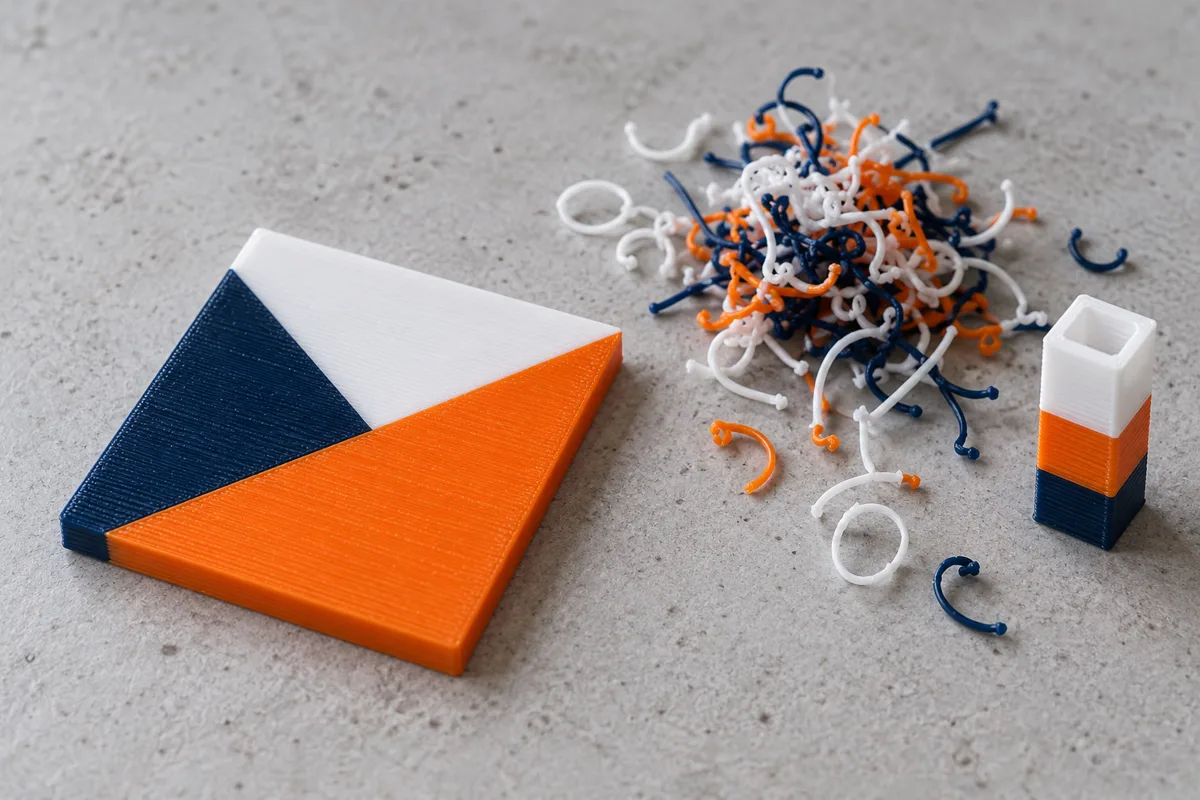
A single-nozzle color change can require unloading, loading, and flushing. Prime structures and transitions may add material and time. The amount depends on the model, number of changes, color sequence, and slicer settings.
Inspect the slicer’s material and time estimates for a representative project. This review does not supply a measured waste percentage or a universal time penalty. Aggressively reducing flushing without checking the result can compromise the intended color separation.
An open spool arrangement is not sealed filament storage. Follow the filament manufacturer’s storage and drying instructions, particularly for moisture-sensitive support materials.
Costs and maintenance beyond the purchase price
Current US A1 price, stock, and bundle contents could not be independently confirmed because the US store listing could not be retrieved on October 30, 2026. Check the official US listing for the selected package, shipping, taxes, and availability.
Budget for filament and potential consumables, such as a suitable replacement nozzle or build plate, cleaning supplies, approved lubricants, and worn feed-path components. Automatic switching can add purge material and accessory costs. Do not buy every possible spare before checking what is included and what your projects require.
Maintenance should follow Bambu’s model-specific instructions. Keep the plate and work area clean, inspect accessible wear parts as directed, and use the specified lubricant in the specified location. Avoid generic advice to grease every moving surface.
The current maintenance wiki was unavailable during this check, so this review does not prescribe unverified lubrication intervals or a detailed repair procedure. Routine care should also never be confused with a remedy for a recalled unit.
Recall history and buying a used A1
The US CPSC recall dated June 13, 2024 covers about 12,800 A1 printers sold from December 2023 through January 2024. It identifies affected units by an “A” in the sixth position of the serial number, on the rear QR-code label.
The notice describes electric-shock and fire hazards from a damaged heatbed cable. For recalled units, CPSC directs owners to stop use and contact Bambu Lab for a refund or a free heatbed-and-cable replacement through a local electronics repair facility. It says consumers should not attempt the repair themselves.
For a used purchase, obtain the serial number and ask Bambu to confirm recall and remedy status. A seller’s statement that the cable looks undamaged is not proof that the remedy was completed. Keep written documentation. This historical notice does not by itself establish that every current A1 unit is recalled.
A1 versus A1 mini—and when to look elsewhere
Choose by representative projects rather than hypothetical future capacity. A smaller model may suit smaller parts and a tighter installation, while the A1’s larger plate may help with wider organizers or batches. Compare complete operating clearances and current prices, including accessories.
Our Bambu Lab A1 mini review provides additional context. Keep this decision focused on size and workflow; neither review supplies a controlled head-to-head performance test.
If materials requiring controlled chamber conditions are central to your plans, compare a printer designed for that workload. An enclosure alone still does not establish filament compatibility, eliminate emissions, or guarantee successful results.
Frequently asked questions
Does the A1 need an enclosure?
Bambu does not recommend enclosing it. Follow the manufacturer’s installation guidance and choose a different machine when your process requires capabilities the A1 does not provide.
Does the A1 always need the internet?
The connected setup uses online services, while Bambu also documents local and offline methods. Check current firmware instructions and the features available in each mode; Bambu Handy is not available in LAN-only mode according to its white paper.
Can every supported filament use AMS lite?
No. The printer and feeder have separate material restrictions. Verify the exact filament and feeding path, particularly for flexible, soluble-support, or abrasive materials.
Is the Combo worthwhile?
It is a candidate when automatic changes solve a recurring project need. Compare the complete package price, compatibility, space, and sliced job estimates against a single-spool setup.
Final recommendation
The A1 is worth considering when its build area, documented workflow, and material guidance match your projects. Start with your largest representative model and the exact filament you intend to use.
Compare the basic configuration for primarily single-color work, and an appropriate switching package for projects that justify it. Verify current US purchase details and accessory compatibility before buying. For used units, complete the recall-status check first.
Sources and research method
Research was checked on October 30, 2026 using official quick-start documents, Bambu’s security white paper, indexed manufacturer FAQs, and the CPSC recall notice. Live US pricing, stock, bundles, the current AMS compatibility wiki, and maintenance wiki could not be confirmed. Indexed FAQs and reference manuals may lag current firmware or packages. No ownership, hands-on testing, measured waste, or reliability results are claimed. Images are AI-generated conceptual illustrations, not A1 test prints or product photographs.