
We may earn money or products from the companies mentioned in this post.
Choosing a first printer gets difficult when the smaller machine offers the workflow you want, but the larger one fits the parts you hope to make. The Bambu Lab A1 mini and Creality Ender-3 V3 SE make that tradeoff worth examining: project dimensions, calibration features, file transfer, and the cost of the exact configuration all matter.
Consider the A1 mini when your projects fit its nominal 180 × 180 × 180 mm envelope and its calibration and connected-workflow features match your needs. Compare the Ender-3 V3 SE when its 220 × 220 × 250 mm envelope is useful and SD-card transfer suits your routine.
Both have automatic bed-leveling and Z-offset features. This is not a choice between a fully automatic printer and one that requires routine manual leveling. Their wider calibration and software features differ, but those specifications do not prove which machine will be easier for every beginner.
This is a research-based comparison, not a hands-on test. It contains no measured setup times, print-quality comparisons, reliability results, or maintenance-cost findings. Current Bambu US pricing, stock, package contents, and firmware-dependent functions were not independently reverified.
Quick Recommendations
Consider the A1 mini when:
- Your intended parts fit comfortably inside its build envelope.
- Its listed calibration features and supported software workflow are useful to you.
- You want to investigate a compatible multicolor configuration and have space for it.
- You have checked the current hardware, software, and accessory requirements.
Consider the Ender-3 V3 SE when:
- The extra print width, depth, or height solves a specific project problem.
- You are comfortable transferring prepared files by SD card.
- Its verified total purchase price suits your budget.
- You prefer to compare features based on the exact SE configuration rather than assumptions about other Ender models.
Neither recommendation establishes a universal winner. If a representative project does not fit, convenient file transfer will not remove that limitation. If the project already fits, a larger build plate may provide little practical benefit.
Side-by-Side Comparison
Build dimensions describe nominal print space. Published machine dimensions describe the hardware while stationary; they are not full installation-clearance requirements. Check the exact regional configuration before ordering.
| Feature | Bambu Lab A1 mini | Creality Ender-3 V3 SE |
|---|---|---|
| Nominal build volume | 180 × 180 × 180 mm | 220 × 220 × 250 mm |
| Published machine dimensions | 347 × 315 × 365 mm | 420 × 366 × 490 mm |
| Advertised speed ceiling | Up to 500 mm/s toolhead speed | Up to 250 mm/s printing speed |
| Maximum nozzle temperature | 300°C | 260°C |
| Bed leveling and Z-offset | Automatic | CR Touch leveling and automatic Z-offset using a strain sensor |
| Other listed calibration features | Vibration compensation and flow-dynamics calibration | Check the exact model’s documented functions; do not substitute KE specifications |
| Extrusion | Direct drive | Sprite direct drive |
| Standard file-transfer options | Wi-Fi-based workflows and microSD printing; verify current mode restrictions | SD card |
| Material guidance | Check model and feeding-system guidance for PLA, PETG, TPU, and PVA | Creality lists PLA, PETG, and TPU 95A |
| Multicolor purchase decision | Verify current compatible hardware and Combo contents separately | Do not assume an equivalent supported package or modification |
| Current price comparison | Current US configuration price not independently confirmed | See the dated US store observation below |
The two speed ceilings use manufacturer specifications and conditions. They are not evidence that one printer completes a given model twice as fast. Geometry, layer height, cooling, acceleration, filament flow, and selected profiles affect completion time.
Build Space: Compare Dimensions Before Volume
The SE provides 40 mm more nominal width, 40 mm more depth, and 70 mm more height than the A1 mini. The difference is not 40 mm in every direction.
Calculated from those nominal dimensions, its bed area is about 49% larger, and its total build volume is about 107% larger. Those calculations describe geometry; they do not predict how many useful parts a buyer can print or whether a specific model will fit.
The extra width may help with a tray or enclosure that exceeds 180 mm. The extra height may matter for a tall display model. A small bracket can fit either printer, depending on its design and orientation.
Check a Representative Model
Open a model you actually want to print and inspect its dimensions in a supported slicer. Allow for orientation, supports, brims, and the usable area of the selected profile.
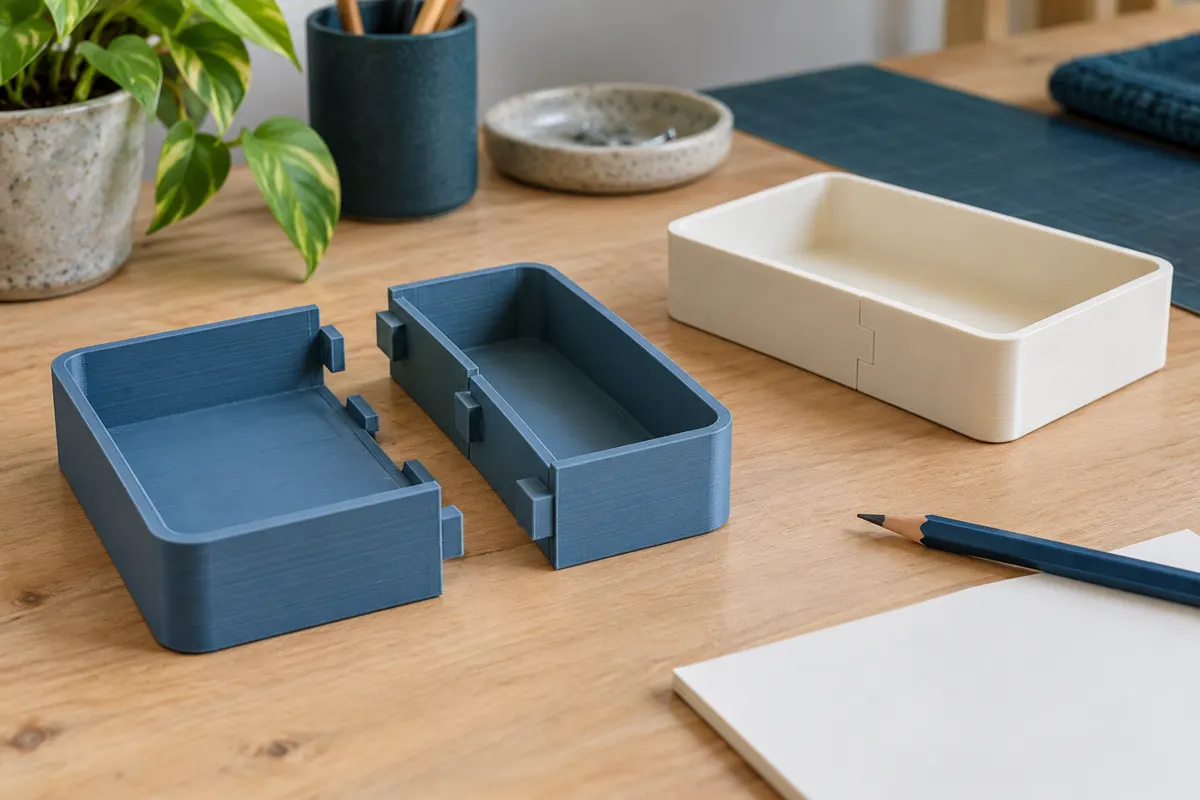
Splitting a model can make a larger project possible, but joining and finishing add work. Joint design can affect strength and appearance. A larger printer may reduce the need to split some objects without eliminating that need for every project.
If most intended parts fit comfortably within the mini’s envelope, compare workflow and total cost next. If many do not fit, build dimensions deserve more weight in the decision.
Calibration: Both Automate Important Adjustments
The A1 mini lists automatic bed leveling, Z-offset, vibration compensation, and flow-dynamics calibration. These features address specific adjustments; they do not guarantee successful first layers or eliminate cleaning and inspection.
The SE uses CR Touch for bed leveling and a strain sensor for automatic Z-offset. Describing it as requiring weekly manual leveling or a mandatory paper-under-the-nozzle routine would misrepresent those features.
Follow each machine’s setup and calibration instructions. Which routines run, and when, can depend on settings, hardware changes, and firmware. Do not assume every available routine runs before every print.
A dirty plate, unsuitable filament, loose component, or incorrect profile can still cause problems on either machine. This comparison does not provide measured evidence that one requires more troubleshooting or becomes more reliable after setup.
File Transfer, Software, and Monitoring
A1 mini Workflow
Bambu Studio is the manufacturer’s desktop slicing workflow, while Bambu Handy provides supported mobile functions. Check the current division of features rather than assuming a phone app replaces every desktop preparation task.
Cloud, local-network, and offline workflows can have different requirements. Verify current account, firmware, software, and connection restrictions if a particular mode is important to you.
MicroSD printing is an offline option for supported prepared files. A LAN-only workflow refers to a network mode; it does not imply a wired Ethernet port. Avoid assuming the printer is restricted to cloud use or that every third-party slicer supports every function.
Ender-3 V3 SE Workflow
The standard SE transfers files by SD card. Prepare the file locally with software and a profile suitable for the exact machine, then select it on the printer.
That workflow can suit buyers who prefer physical file transfer. It is not inherently obsolete, and it does not establish unrestricted compatibility with every slicer, firmware change, or aftermarket accessory.
The standard SE does not provide a built-in Wi-Fi printing workflow. Any modification should be evaluated as a separate compatibility, support, and cost decision.
Monitoring Is a Separate Feature
Check the A1 mini’s current camera specifications and functions before relying on a particular monitoring feature. A camera does not automatically provide high-frame-rate streaming or reliable detection of every failure.
Do not assume remote monitoring or a camera is included with a standard SE package. For either printer, file transfer and monitoring are distinct capabilities; one does not establish the other.
Operating Space: Both Need Clearance
The A1 mini’s published machine dimensions are smaller than the SE’s, but both need operating clearance. Moving-bed travel, the spool, cables, plate removal, and maintenance access all take space.
Use the current installation diagram for the exact configuration. Avoid placing a spool or accessory according to a generic photograph without checking the manufacturer’s instructions.
A separate multicolor unit adds equipment, tubing, spools, and access requirements. Compare the complete arrangement with the space available, rather than deciding from the printer’s static width alone.
A machine that fits on a shelf while stationary may still lack adequate room during operation.
Materials and Part Requirements
Creality lists PLA, PETG, and TPU 95A for the SE. The A1 mini’s material guidance includes PLA, PETG, TPU, and PVA, subject to the exact filament, installed hardware, and any feeding-system restrictions.
A direct-drive extruder does not guarantee successful printing with every flexible formulation. A material that can feed from an external spool may be unsuitable for a particular automatic feeder.
Neither a 300°C nor a 260°C nozzle rating establishes that every filament below that temperature is suitable. Bed requirements, the open-frame environment, cooling, nozzle material, and the intended application also matter.
Check model-specific guidance before considering ABS, ASA, nylon, polycarbonate, or reinforced formulations. An enclosure alone does not establish compatibility, and an improvised enclosure should not be treated as an approved upgrade.
For functional parts, choose the material and design for the actual heat, load, environment, and durability requirements. A successfully printed bracket is not automatically suitable for every use.
Purchase Price and Ownership Costs
On October 30, 2026, Creality’s US SE store page displayed $179, alongside a $199 reference price. This is a dated page observation, not a guaranteed checkout total or a claim about the price history of every seller.
The A1 mini’s current US standalone and Combo prices were not independently confirmed. A precise dollar saving or claim that either printer is currently cheaper would therefore be unsupported here.
Compare equivalent configurations, including shipping, taxes, accessories, and any equipment required for the intended workflow. Do not compare a standalone SE against a multicolor bundle as though their contents are equivalent.
Budget for filament, suitable storage, specified cleaning supplies, and eventual replacement consumables. Check which tools and accessories are included before buying duplicates. Use exact-model replacement parts rather than assuming every item labeled for an Ender or Bambu printer is interchangeable.
This comparison contains no measured maintenance-cost data and does not establish that either printer is cheaper to maintain.
Treat Multicolor as a Separate Decision
If multicolor projects matter, verify the current A1 mini-compatible feeding hardware, connection requirements, firmware, and package contents. Do not calculate the cost of buying equipment later from an unverified Combo price difference.
Single-nozzle color changes can add purging, prime-tower material, and time depending on the profile and model. Check the slicer estimate for a representative project; there is no fixed waste ratio for every print.
Do not assume an SE modification offers the same supported workflow as a manufacturer-listed multicolor configuration. Evaluate any proposed modification separately rather than describing it as an equivalent included feature.
Which Features Matter for Your Projects?
Small Parts That Fit Either Printer
Compare calibration features, supported software, file transfer, available workspace, and the current total price. The extra SE build space may be unused if the same small models fit either machine.
Parts That Exceed the Mini’s Envelope
The SE is worth comparing when its additional dimensions fit a regular project. Check the sliced model before assuming it removes the need for splitting or supports.
Offline File Transfer
The SE’s SD-card workflow is relevant, but the A1 mini also has a microSD option. Check the requirements of the exact offline process you want instead of assuming only one machine can operate without cloud printing.
Multicolor Plans
Compare the exact supported A1 mini configuration and its full workspace and material costs. A vague possibility of future color printing is less useful than a real project with a slicer estimate.
Common Questions
Does the SE have automatic Z-offset?
Yes. Creality describes CR Touch bed leveling and a strain sensor for automatic Z-offset. Follow the setup instructions rather than assuming its calibration process matches older Ender models.
Does the SE have 67% more build area?
No. Using the nominal width and depth, its bed area is about 49% larger. Its total nominal build volume is about 107% larger because the height also increases. These are different measurements.
Is the A1 mini guaranteed to be easier for beginners?
This review cannot establish that. Its calibration and software features may suit some buyers, but no comparative setup-time or beginner-success testing is claimed.
Will either printer fit a full helmet?
That depends on the specific design, scale, orientation, and print settings. Check the sliced model rather than relying on the project category.
Verdict: Choose by Project Fit and Workflow
Consider the A1 mini when the projects fit its envelope and its listed calibration features and supported software options match your routine. Verify the exact configuration and current operating-mode restrictions before buying.
Consider the Ender-3 V3 SE when its additional width, depth, or height solves a regular project problem and SD-card transfer suits your needs. Its automatic leveling and Z-offset should be part of that comparison.
There is no evidence here for a universal ease-of-use, reliability, or ownership-cost winner. Start with representative projects, the full available workspace, and the verified cost of equivalent configurations.
For more detail, read our A1 mini review and Creality printer comparison.
Sources and Research Method
Creality’s official series comparison and US SE store listing were checked on October 30, 2026. Bambu’s current specification and US store pages were inaccessible during this review, so its current pricing, stock, bundles, and firmware-dependent functions were not independently reverified. The A1 mini discussion retains published reference specifications rather than claiming a fresh verification. No hands-on tests or independent performance measurements are included.